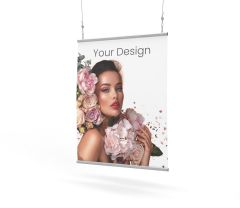
Blockout banners feature a layer that reduces show-through and are available in 440 g and 650 g weights, with single-sided and double-sided printing options. Choose the right version, enter the required dimensions and order a custom-printed banner for your display.
Blockout banners feature an internal layer that reduces light transmission and prevents artwork on the opposite side from showing through. This makes them suitable for displays where background show-through needs to be reduced or the print must remain clearly visible.
This category includes 440 g and 650 g Blockout banners in both single-sided and double-sided versions. You can choose the material to suit the required dimensions and the way your artwork will be displayed.
440 g or 650 g Blockout: which option should you choose?
The current range includes four options:
440 g Blockout – single-sided
440 g Blockout – double-sided
650 g Blockout – single-sided
650 g Blockout – double-sided
When choosing, consider how the banner will be displayed and whether the message needs to be visible from one or both sides. Select the material weight to suit the intended use and available product configuration.
Single-sided Blockout banners
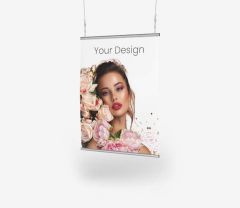
The single-sided option is designed for displays viewed from one side. Its light-blocking layer helps prevent the background behind the banner from affecting the appearance of the artwork.
This can be useful when the banner is installed in front of another surface and the legibility of the print should not depend on the colour or artwork behind it.
Double-sided Blockout banners
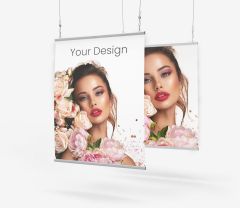
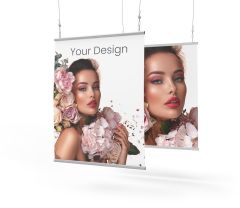
The double-sided option allows both sides of the material to be used for advertising. It is designed for displays viewed from two directions, with artwork presented on each side.
The designs on the two sides do not have to be identical. Each side can carry a different message, provided the files are prepared correctly for the selected product.
How does Blockout reduce show-through?
Blockout material contains an internal layer that reduces light transmission. This helps prevent artwork on one side from showing through to the other and makes the background behind the material less visible.
This is particularly useful for double-sided displays and for banners installed in front of other signage, structures or visually busy backgrounds.
Where can Blockout banners be used?
Blockout banners can be used for a range of advertising displays, including at trade fairs, events and presentations, as well as in retail spaces and POS materials.
Depending on how it is installed, the material can be used as a standalone advertising banner, as part of a display or in a system designed for materials with the appropriate specifications.
Custom-size Blockout banners
Blockout banners can be configured to your required dimensions. After choosing an option, enter the width and height needed for your planned display.
To compare Blockout with other materials available in custom sizes, see our custom-size banners.
How should I prepare artwork for printing?
Prepare your artwork at the ordered dimensions and follow the technical requirements for the selected product.
For double-sided banners, make sure the artwork for each side is prepared and labelled correctly.
Detailed instructions are available in the file preparation specifications.
What determines the price of a Blockout banner?
The price depends on the selected material, weight, printing option, dimensions and available configuration options.
To see the current price, choose the appropriate product and enter the required parameters.
How do I order a Blockout banner?
Choose a weight of 440 g or 650 g.
Select single-sided or double-sided printing.
Enter the required dimensions.
Select the available product options.
Prepare your artwork according to the technical requirements.
Upload the file and place your order online.
FAQ – Blockout banners
What is a Blockout banner?
Blockout is a banner material with a layer that reduces light transmission and prevents the background or artwork on the opposite side from showing through.
Are Blockout banners only available with double-sided printing?
No. The current range includes both single-sided and double-sided options.
Which Blockout weights are available?
Blockout banners in this category are available in 440 g and 650 g weights.
What is the difference between single-sided and double-sided Blockout?
The single-sided option is designed for artwork displayed on one side, while the double-sided option allows both sides to be used for advertising.
Can I order a Blockout banner in a custom size?
Yes. You can enter the required dimensions within the configuration options available for each product.
Can I use different artwork on each side of a Blockout banner?
Yes, with the double-sided option you can prepare separate artwork for each side. The files must be clearly labelled and prepared according to the product requirements.
How can I check the price of a Blockout banner?
Select the material weight and printing option, then enter the required product parameters. The price depends on your chosen configuration.