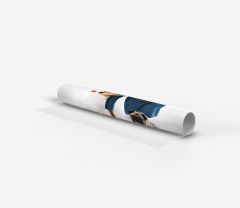
Replacement roll-up graphics are print-only products for an existing compatible system, so there is no need to buy a new stand. Choose graphics designed for your roll-up model, prepare your artwork using the correct template and order a new print for your latest campaign, event or promotion.
Replacement roll-up graphics for your existing system
Replacement roll-up graphics are for customers who already have a suitable system and only need a new print. Instead of ordering another stand and cassette, you choose graphics made for a compatible roll-up model.
This allows you to reuse your existing system for a new campaign, promotion, event or updated brand identity. Before ordering, check which roll-up model the graphics are designed for and prepare your artwork using the correct template.
When should you order replacement roll-up graphics?
Replacement graphics are the right choice if you already have a roll-up stand and do not need another complete set. You can update the message displayed on your existing system without ordering a new cassette.
They are useful when you:
change your promotion or advertising campaign,
need new graphics for another event,
update your branding or promotional message,
use the same system for different campaigns,
have a stand that is still suitable for further use.
Do replacement graphics fit every roll-up?
Not every graphic will fit every roll-up system. Stands can vary in size and in how they accommodate the graphics.
Before buying, check which roll-up model you have and choose graphics made specifically for it. This category includes options for Suna, Mizu and Kaze systems, among others.
If you do not have a suitable system or are unsure whether your stand is compatible with your chosen graphics, see our complete roll-ups with system and graphics.
Replacement graphics for Suna, Mizu and Kaze roll-ups
When choosing a new print, start by checking the model of your existing system. This category includes graphics for selected Labo Print roll-ups, including Suna, Mizu and Kaze.
Do not choose graphics based on an approximate size alone. Match them to the specific system model, then use the correct template to prepare your artwork.
A new roll-up print for your next campaign
Replacing the graphics allows you to update your existing system for current marketing activities. You can use the same roll-up with a different design for another campaign, presentation or event, provided that the stand is compatible with the selected graphics.
Your new design can feature an updated logo, product photo, promotion, advertising slogan or message created for a specific event.
Roll-up graphics printed with your own design
Your graphics are printed from your own artwork. You can include your company branding, logo, product photos and content tailored to a specific campaign.
Prepare your artwork using the template provided for your chosen graphics. This ensures the correct proportions and accounts for the technical areas needed to use the print with the specified system.
How do I prepare artwork for roll-up graphics?
Once you have chosen graphics that are compatible with your existing system, download the correct template and use it to prepare your artwork.
Check the format, the placement of key elements and the technical areas marked on the template. Do not reuse artwork prepared for another system without first checking the dimensions.
See our print file preparation guidelines for more information.
How do I order replacement roll-up graphics?
Check the model of your existing roll-up system.
Choose replacement graphics made for that model.
Check the available format and download the correct template.
Prepare your artwork according to the template requirements.
Upload the file when placing your order.
Order the graphics without buying a new stand.
Replacement graphics or a complete roll-up?
Choose replacement graphics if you already have a compatible system and only need a new print.